MASTER CLASS-A SURFACING
Learn the craft behind premium surfaces.
Master Class-A Surfacing with Autodesk Alias - an industry-focused program by Sankul Design Academy, built from real automotive design and Class-A surfacing experience.
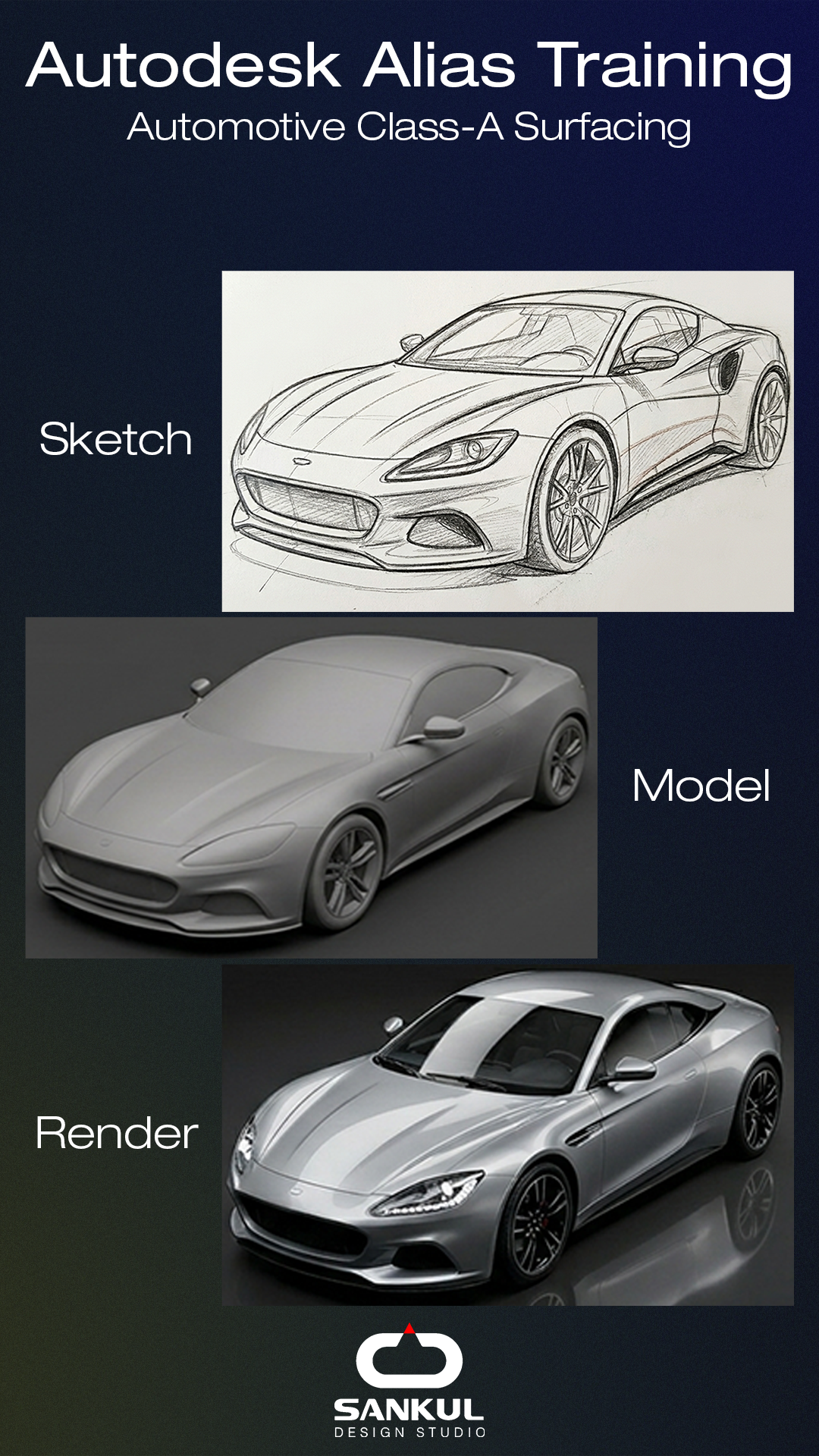
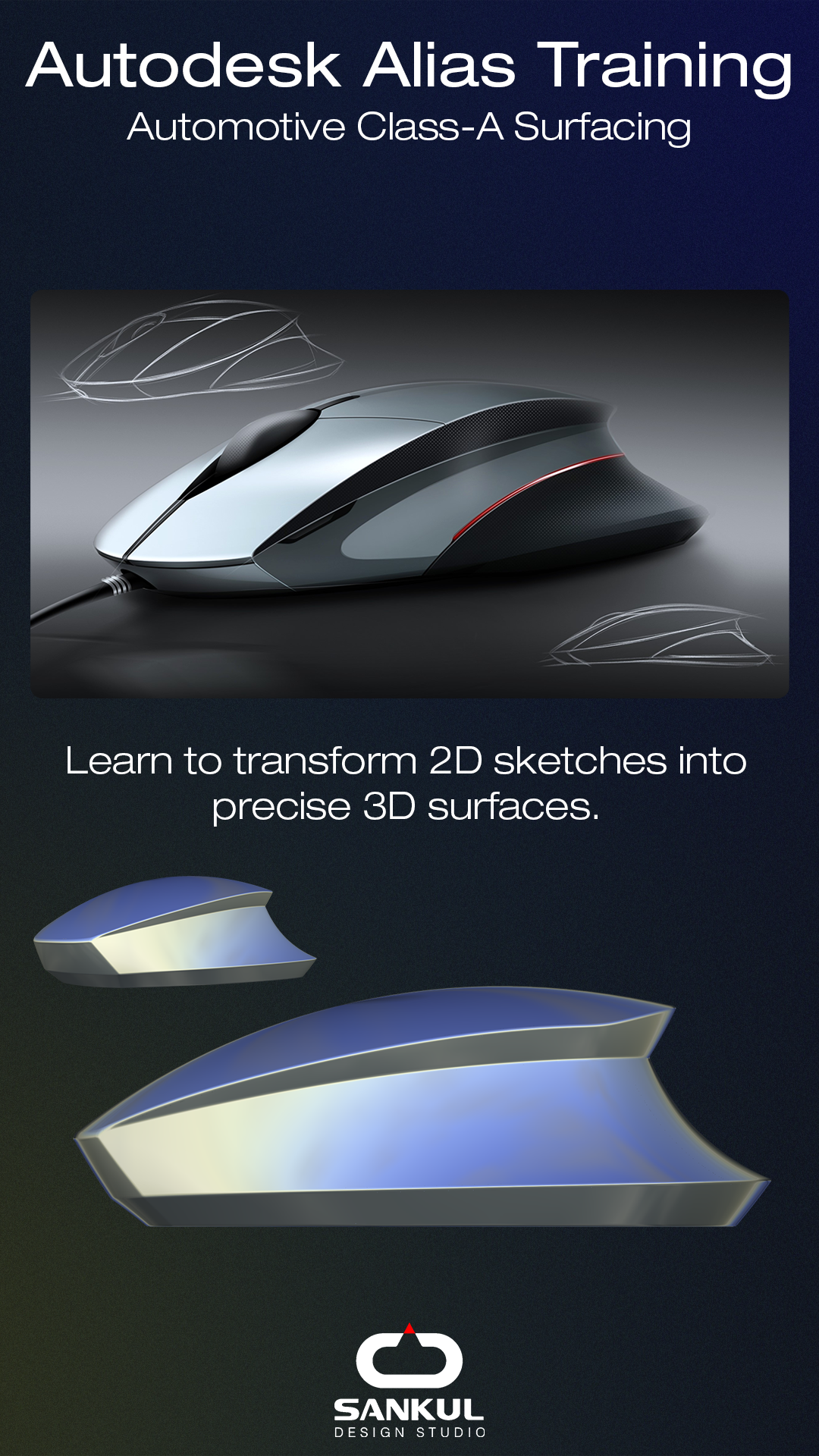
Learn to transform sketches, drawings, images and scan data into refined digital surfaces using Autodesk Alias and industry-standard workflows.
Fresh Batch Starting on:
1 Sep 2026
Course Duration:
3 Months
Teaching Mode:
Online & Offline (Pune)
Course Fees:
INR 1.25 L

Register for a Free Webinar
Register for a free webinar. The webinar details will be shared on email and WhatsApp.
YOUR MENTOR
Anand M. Kulkarni
Founder - Sankul Design Studio: 26+ years of industry design leadership experience
Anand M. Kulkarni brings more than two decades of automotive and product design experience into the classroom.
Founder of Sankul Design Studio - India's Best Industrial Design Studio, 2025, he has personally led Class-A surfacing and design programs for OEMs and global clients.
This is not training designed around a software manual. It is industry experience distilled into a learning program.
CLASS-A IS MORE THAN SOFTWARE.
A good surface is not simply smooth. It has to capture the designer's intent, hold the right proportions, transition naturally and respond beautifully to light.
Class-A surfacing sits at the intersection of design, mathematics, technology and experience.
This program teaches you how to think about surfaces - and how to build them.
WHAT IS CLASS-A SURFACING?
Imagine a beautifully shaped object. Its form may look perfect from a distance. But when light or reflections move across it, even a small inconsistency becomes visible.
Class-A surfacing is the discipline of creating visible surfaces with controlled:
Form · Proportion · Continuity · Curvature · Reflection
In simple terms:
Design the form.
Build the surface.
Control the reflection.
Refine until it is right.
FROM SKETCH TO CLASS-A
Learn the complete digital surfacing workflow.
01 — Understand
Read the sketch, blueprint, image or scan data. Understand design intent, proportion and form.
02 — Build
Create the digital form using Autodesk Alias and NURBS modelling techniques.
03 — Refine
Develop surface patches, transitions and continuity with control.
04 — Analyse
Evaluate reflections, curvature and surface quality.
05 — Perfect
Iterate until the surface achieves the desired design intent and quality.
The objective is not just to model a shape.
It is to understand why the surface works.
The supplied curriculum specifically covers sketch-to-3D workflows, scan data/reverse engineering and G0–G3 surface continuity.
WHAT YOU WILL LEARN
Autodesk Alias Fundamentals
Start from the ground up.
Alias interface, navigation and essential tools
NURBS modelling fundamentals
Surface creation
Form and proportion
Understanding design intent
CAS — Computer-Aided Styling
Translate design intent into digital form.
Sketch to 3D workflow
2D drawings to surfaces
Images to surfaces
Blueprints to surfaces
Scan data and reverse engineering
Class-A Surfacing
Learn to build and refine premium-quality surfaces.
Surface patch planning
G0 — Position
G1 — Tangency
G2 — Curvature
G3 — Advanced continuity
Curvature analysis
Reflection analysis
Surface refinement
Automotive & Product Projects
Apply the learning through progressively complex projects.
Simple products → Two-wheeler → Premium automotive exterior
The supplied program includes 4–5 simple products, a motorcycle project and a premium car exterior project.
THE 3-MONTH JOURNEY
MONTH 01
Foundations
Build a strong foundation in Alias.
Alias UI · Navigation · Tools · NURBS · Surface creation · Form · Proportion · Design intent
Practice: 4–5 simple products
MONTH 02
CAS + Class-A
Move from design intent to controlled surfaces.
CAS workflow · Sketch-to-3D · Scan data · Reverse engineering · G0–G3 continuity
Applied Project: Two-wheeler / Motorcycle
MONTH 03
Advanced + Portfolio
Bring everything together on a premium automotive project.
Advanced surfacing · Premium car exterior · Surface refinement · Portfolio development · Visual storytelling · Interview preparation
Outcome: A portfolio built around real modelling work - not just software exercises.
WHY SANKUL DESIGN ACADEMY?
Learn from the industry. Not just the software.
Most academic programs teach CAD fundamentals. Very few teach the thinking, discipline and surface quality expected in professional design studios. Sankul Design Academy was created to bridge that gap.
26+ YEARS OF INDUSTRY EXPERIENCE: Real design and Class-A surfacing experience brought directly into the classroom.
STUDIO-LED LEARNING: Learn within the ecosystem of an award-winning industrial design studio.
INDUSTRY WORKFLOWS: Understand how professional designers approach design intent, CAS and surface refinement.
PORTFOLIO FIRST: Your portfolio is developed as part of the learning journey.
HONEST MASTERY: Three months builds the foundation. Mastery comes through continued practice.
CAREER SUPPORT: Once your portfolio reaches an industry-ready level, Sankul can connect suitable candidates with relevant design opportunities.
The Academy's stated goal is to make learners industry-ready, not merely software-trained.
WHO IS THIS FOR?
DESIGN & ENGINEERING STUDENTS: Final-year and graduate students from Automotive, Mechanical, Production and related disciplines who want to move towards automotive design.
WORKING PROFESSIONALS: Professionals in automotive, product design, plastics, sheet metal or engineering who want to add Class-A surfacing to their skill set.
TOOL & DIE / MANUFACTURING PROFESSIONALS: Professionals looking to transition from manufacturing and tooling into automotive or product design.
No prior Autodesk Alias or Class-A experience is required.